Skills
Product Design
Graphic Design
Interactive prototyping
User research and testing
Role
Design lead
Timeline
Q3 2022
In most countries with expansive metro stations, usually a companion app is created to help users create tickets and book seats. This helps users plan their journey and reduce the number of touch points they would have to go through. The Dubai metro can utilize this opportunity to enhance user experience.
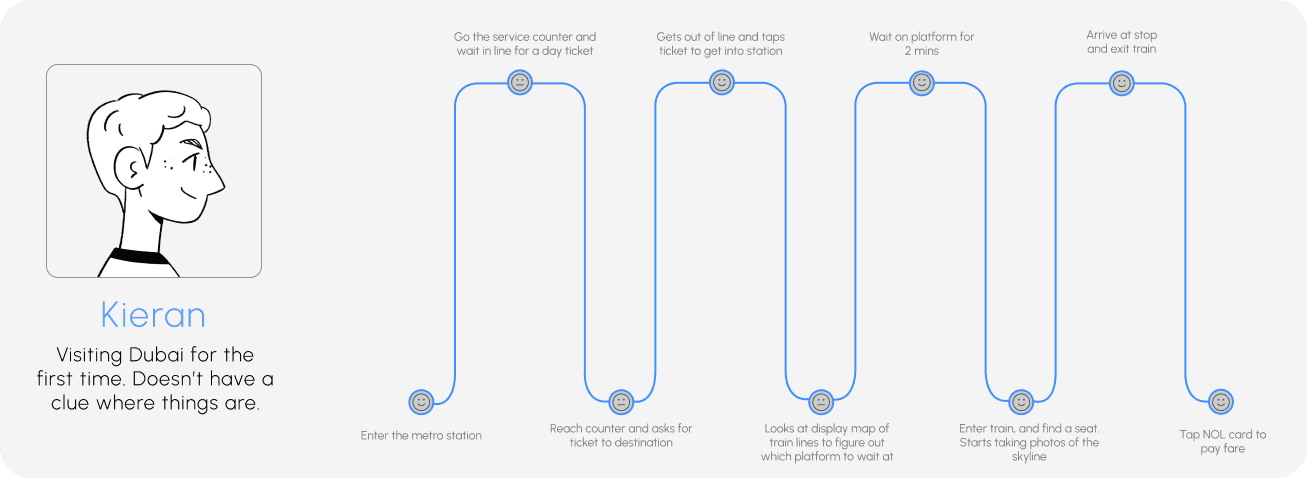
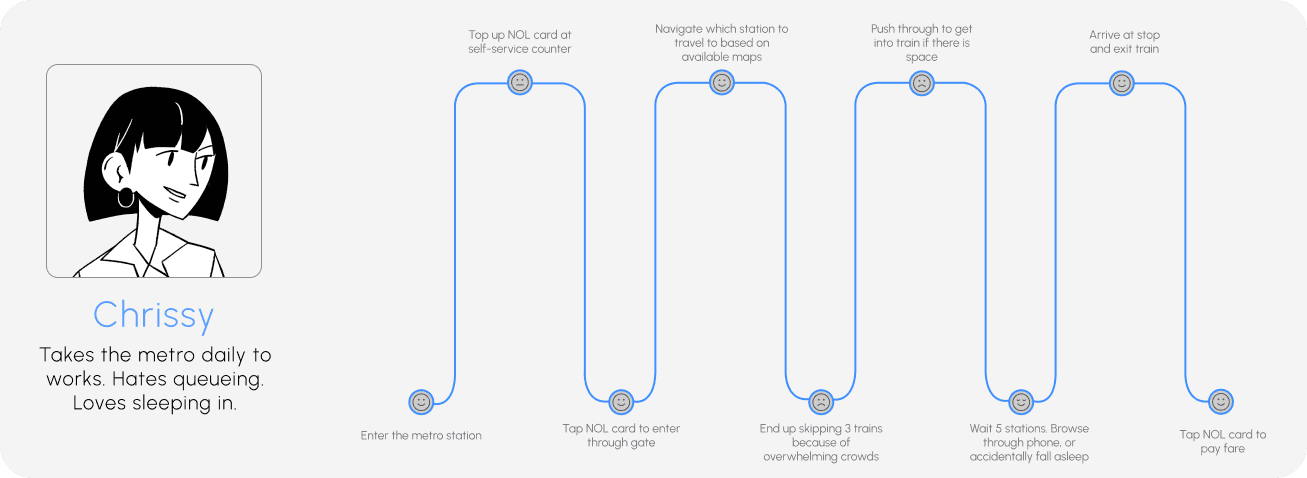
After looking at adjacent applications such as Deutsche Bahn, Ixigo and some local transport applications, I conducted in-depth interviews with users to discern insights and find pain points in their journey. Using their valuable inputs were able to determine their typical user journey as well.
In depth interviews
Users offered a comprehensive view on multiple features specifically mentioning pain points in their user journey, and individual interactions with each element of the application.
“Great for figuring out which lane to choose, but it would be even better if it had a map showing the metro station locations and the current station of the train. It would also be awesome if it could send a notification when it's time to get off at your stop.”
“The info for tourists is really confusing. There's no pricing or ticket details, and the journey and transfer explanations are confusing.”
“It would be great if we could get can get more info to help guide us like pricing, estimated time of arrival, and an option for NOL CARD recharge. Google Maps usually only tells how long it takes and how many stops.”
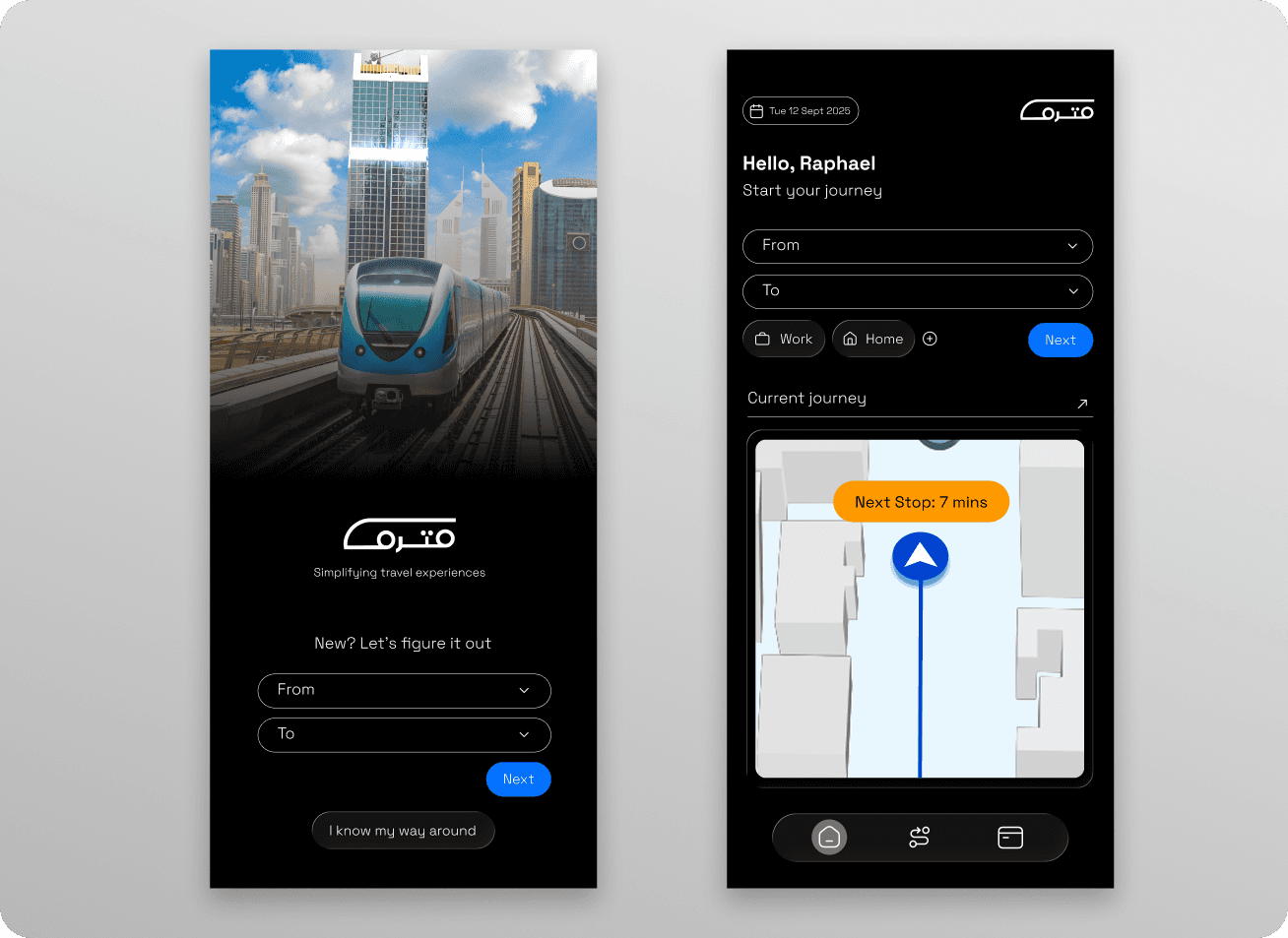
In understanding the requirements and the context by which the app needed to be used, the architecture of the app had to be defined. I realized we would have two types of ways to use the app. One, as a travel companion/guide and two, as an all-in-one experience.
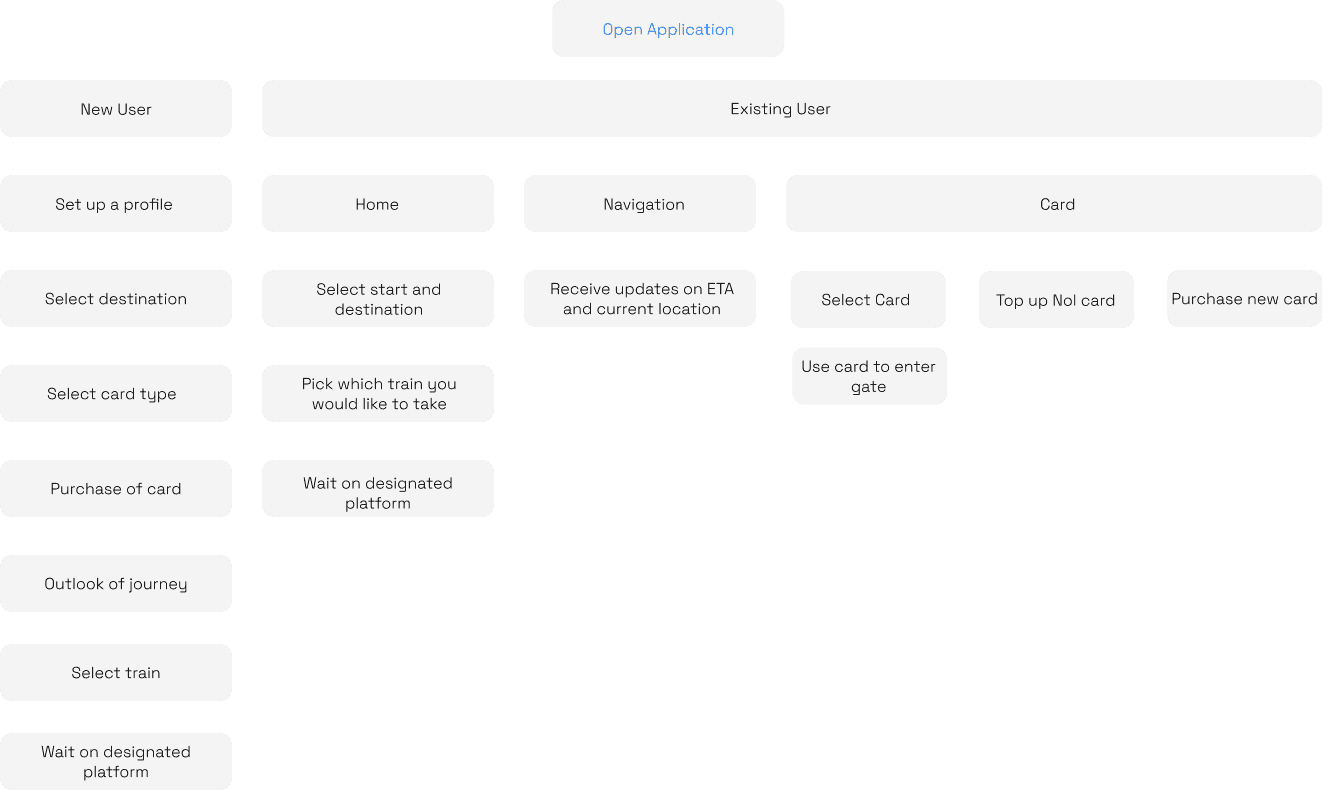
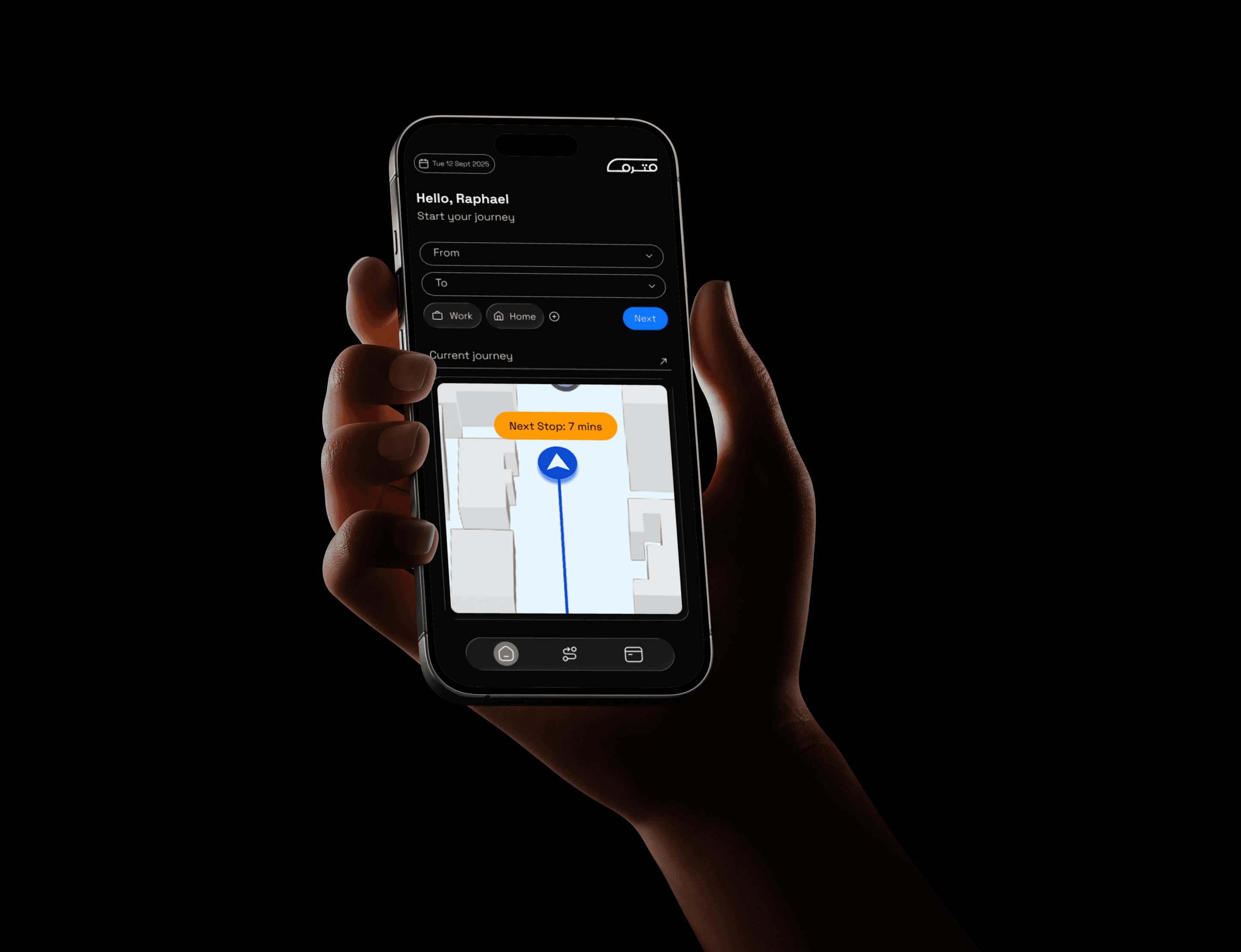
The home screen was meant to be simplified as to encourage easier use across different users. I simplified the use of the app into navigation and top-up. Ultimately, most metro users were concerned with their destination, cost, and Nol card expenses. As such the home page was used quickly introduce users where they would like to go, whether they were new or frequent users. The navigation page served to show live updates as they travelled and finally card top up or purchase of a new card.

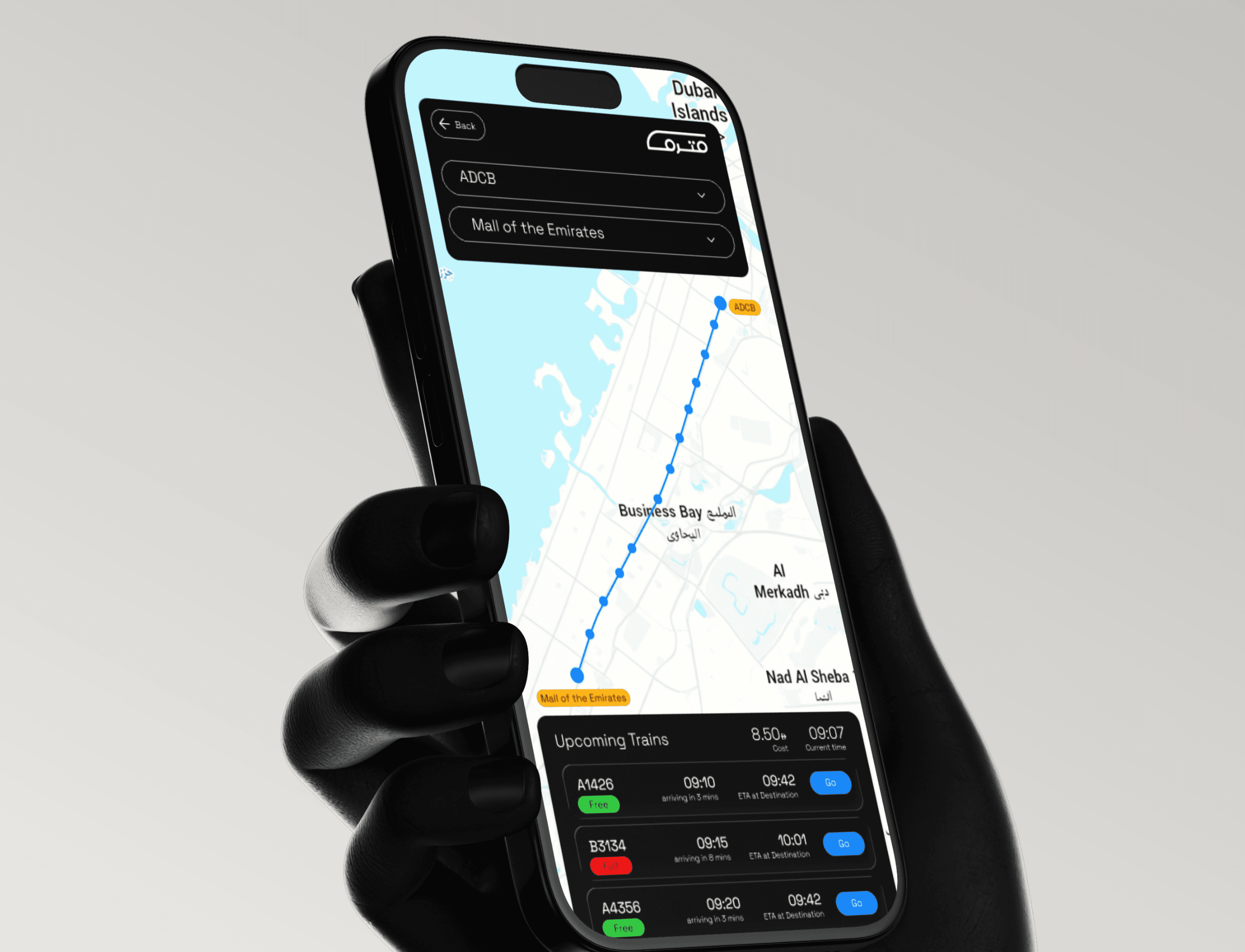
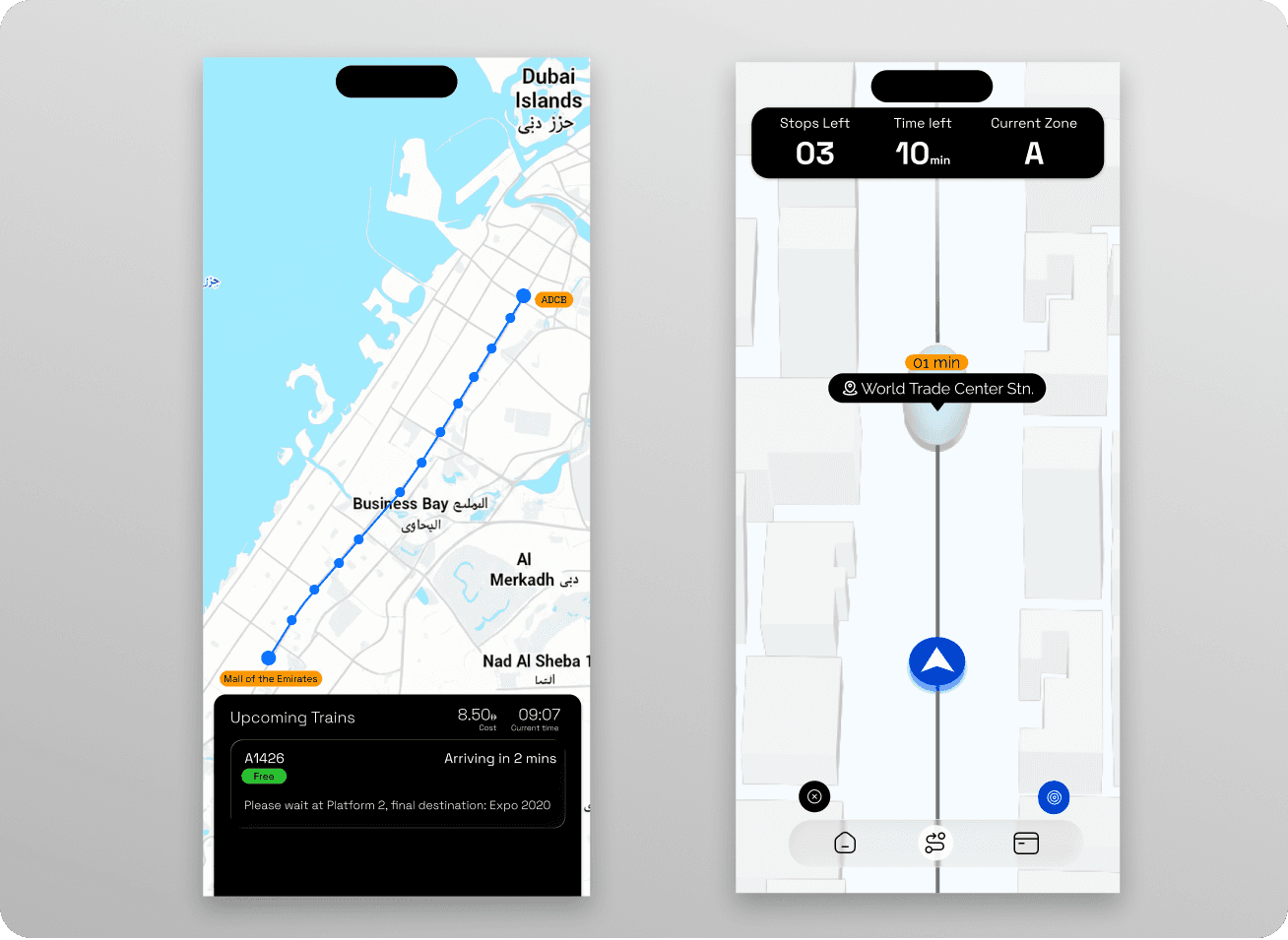
The navigation screen provided a holistic overview of arrival time of different trains, capacity of trains and navigation to designated platforms The navigation screen was meant to provide live updates and alerts of a user’s travel, including how many stops they would have remaining and time before reaching destination. It was meant to be clear and easy to follow along, to make a user’s journey as seamless as possible.


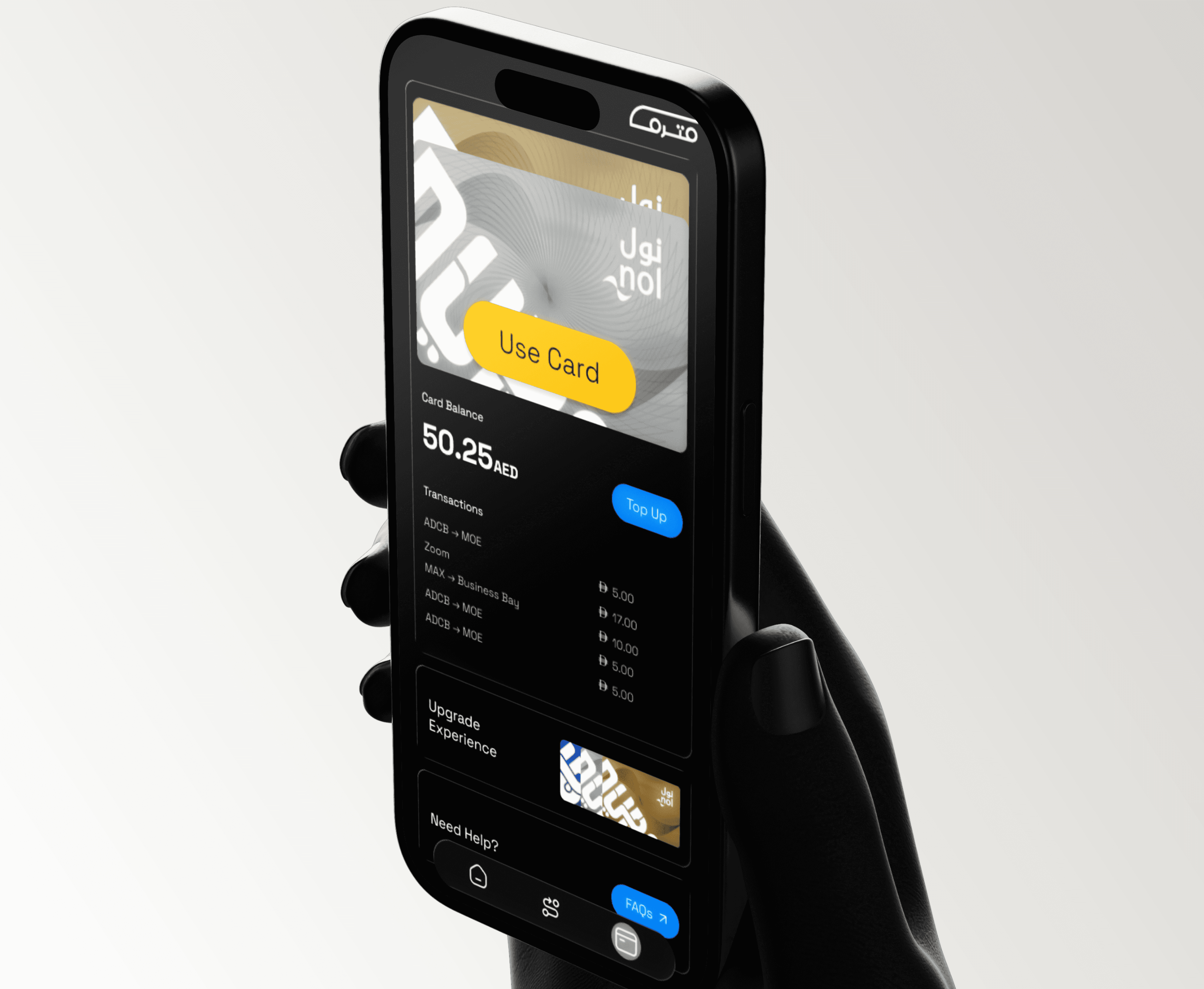
An important feature that users wanted was to have a digital Nol card, that could also be topped up within the app itself. This option prevented the need for waiting in line to top of the card and reduce the number of touch points within the user journey. With a simple tap, users could proceed through the gate. With a single click, users could top up their Nol card anywhere, anytime.
85%
of users reported that the in-app digital card made travel easier
2,500+
downloads since the beta version of the app has been released